How to Optimize Your Google Play Store App Details Page
App Store Optimization (ASO)
March 20, 2019

This is a guest post by Daniel Peris, CEO of TheTool.
There are tons of content about ASO in the Internet and the amount grows every day. App stores (Apple App Store & Google Play Store) are becoming bigger (and more competitive) and they grow exponentially.
ASO (acronym of App Store Optimization) is a reality and, according to our experience with PickASO agency and our own mobile apps, ASO is a 100% MUST for any app developer or marketer.
In this post we are going to learn how to optimize a Google Play Store listing of any Android app in order to increase visibility and volume of organic downloads from the store.
Let’s start from scratch!
App Store Optimization: What is it?
We aren’t writing again about this, but basically, ASO is the process of optimizing a mobile app in order to get the maximum visibility and the highest conversion rate to install in the app stores. So, ASO is not only about traffic, it’s also about conversion. Some people call it “App Store SEO”, because of its similarity with web Search Engine Optimization.
ASO Strategy
The App Store Optimization strategy basically consists of these 3 processes:
- Keyword research & Market research
- Google Play Store page optimization + A/B testing
- Tracking / monitoring and repeating number 2 😛
1. Keyword research & Market research
This is the essential analysis you need to make before implementing your ASO strategy and even before publishing your app or game.
For new applications it is quite difficult to get into the top search results for head or mid-tail keywords.
It’s possible, of course, but it will take a lot of effort, time and installs. This is why the best strategy in the beginning is to go for long-tail keywords – keyword combinations that are a bit more specific than usual search request keywords and have lower competition. They have less traffic than the head or mid-tail keywords, but if you target keyword combinations for specific searches, your app or game has much better chances to show up in these search results.
How to choose keywords and keyword combinations for your app?
First, brainstorm the keywords – it could be anything that comes to your mind that is relevant to your app and to the tasks it performs, or its main features. Check what your competitors are doing there, too – which keywords they are working on their listing, which keywords they are ranking for and where (countries). Another good practice is to read reviews of your competitors app and try to identify the keywords that users mention.
Collect as many different keywords as possible, and then amplify the list with long-tail keywords. You can do it with a keyword suggestions tool – for example, AppKeywords.io or TheTool:
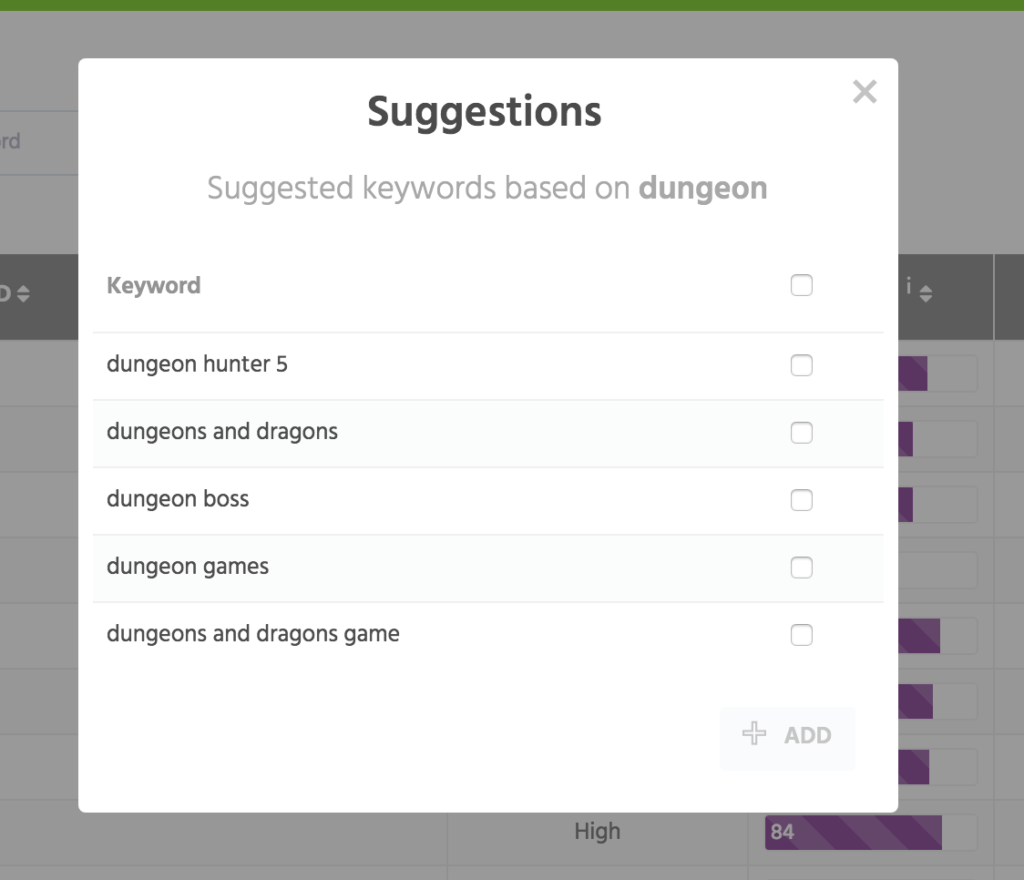
After you have created and uploaded your pool of keywords to the system, check the difficulty and traffic for each keyword. You can perform this analysis in TheTool keywords panel as well:
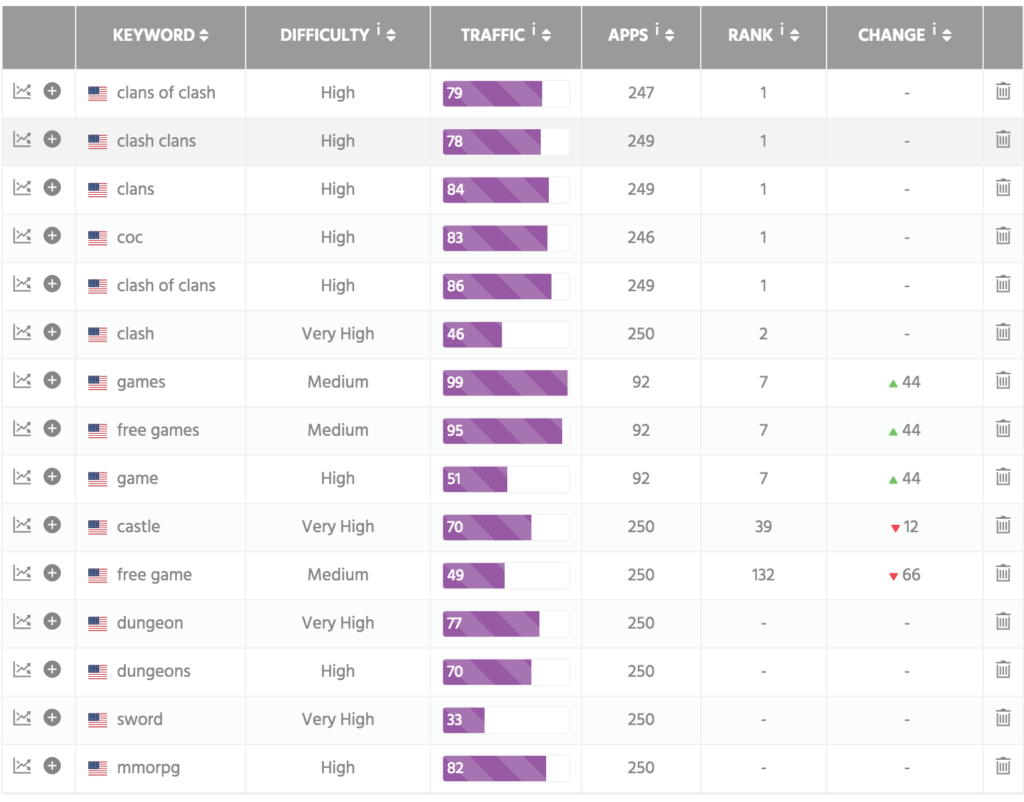
How to identify long-tail keywords in TheTool?
Pay attention to those keywords that have low or medium difficulty and at the same time, the most traffic. These keywords are not highly competitive, and ranking for these keywords will improve the visibility of your app dramatically. When you will start implementing your ASO strategy, you will know which keywords to target.
To check your competition for each particular keyword can be helpful when you analyze the relevance of your app for a particular search, or identifying the keywords with less competition.
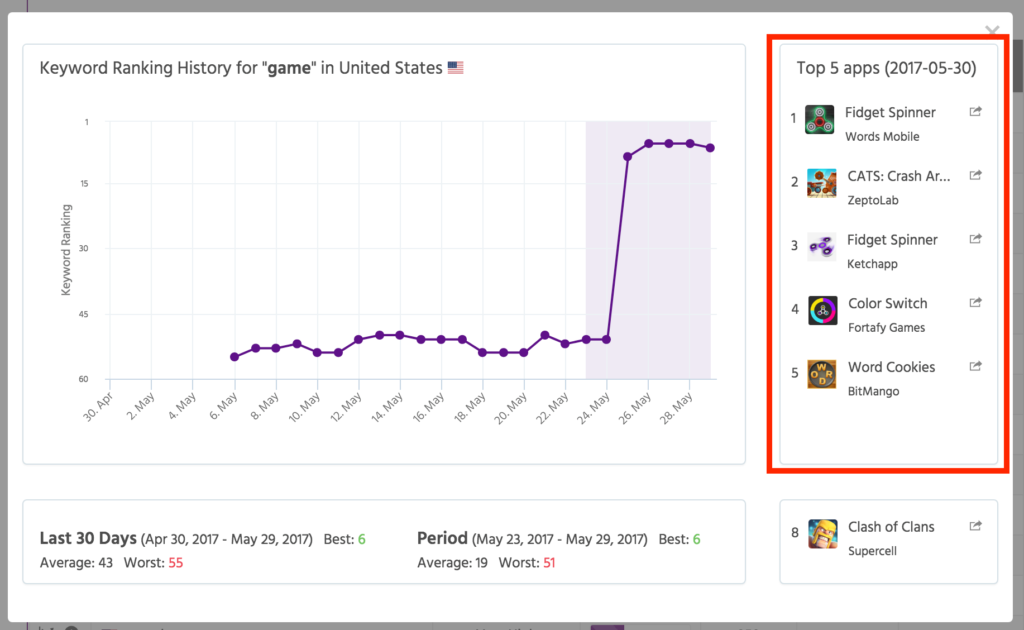
2. Google Play Store optimization + A/B testing
Implementing an ASO strategy for Google Play is a process that embraces optimization of your app’s on-metadata and off-metadata.
- On-metadata factors are the ones that are under the control of the developer: title, developer name, description, icon, screenshots, feature graphic.
- Off-metadata factors are the ones out of your control (but you can influence them): installs volume, ratings and user reviews.
Later in this post we will take a close look in the details of ASO on-metadata and an anatomy of a perfect Google Play Store listing of an Android app.
It doesn’t matter if you have already published your app, or if you are just preparing to launch it, you will need to implement the Google Play Store optimization. You will work on different elements of your listing, to improve both visibility and conversion rate to install.
And here is news for you: what you think is not the same as what your users think.
You may have created a great icon, but as Ogilvy said, “If it doesn’t sell, it isn’t creative”. You can’t trust your own intuition here, and the user response is not always going to be as good as you expect.
This is why you need to perform an A/B test before implementing any change in the listing elements that are affecting the conversion rate. Those elements are primarily the graphics: icon, screenshots, feature graphic, and the localized texts.
What is A/B testing?
To perform an A/B test, you will need to create 2 different versions of your listing element, and compare them against each other. During the experiment, half of your traffic will go to version A, and another half to version B, and then both options will be compared to determine the best result. It is very important to test with a change in only one listing element, otherwise it is hard to determine which of the changes has caused an improvement.
Good news – Google has an A/B testing tool integrated into the Google Play Console! Here you can check out more about how to perform the experiments on your store listing in Google Play and the best tips about A/B testing.
You should always have an a store listing experiment running.
3. Tracking / monitoring
The App Store Optimization process never stops, the market changes as well as the Google Play Store itself, so a developer has to be always up-to-date with the current market situation.
The good practice is to track weekly (ideally, daily), your volume of installs (organic + non organic), keywords rankings, top charts rankings (overall, category, etc.), ratings and reviews of your app or game. Remove the keywords that are not performing, analyze and add new keywords and continue A/B testing until you find a best-converting elements of your Google Play Store listing.
User reviews is a part that is not totally under your control, but if you are constantly monitoring it, you will get valuable information about your product, keywords, and the weak points of your product and / or your communication strategy with users. In Google Play you can interact with users, replying to their reviews, which helps to build trust and improve the overall rating of the app. A good user sentiment not only improves the conversion rate to install, but it is also favorable for search ASO, as Google ranks higher the apps with more and better user reviews.
How to Optimize Your Google Play Store Listing for ASO
A perfect Google Play Store listing for ASO can improve keywords rankings, improve conversion rate to install and drive organic downloads. As simple as that.
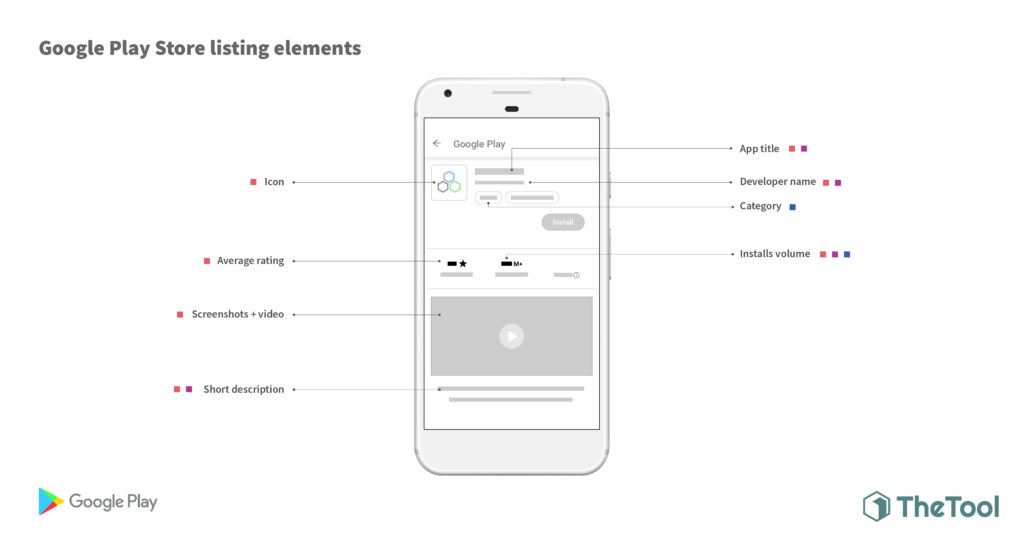
Besides optimizing your app for Google Play Store, ASO will also help your app rank higher in Google web search results (App Packs). Read more here.
Let’s take a closer look on the anatomy of the perfect Google Play Store listing:
URL / package
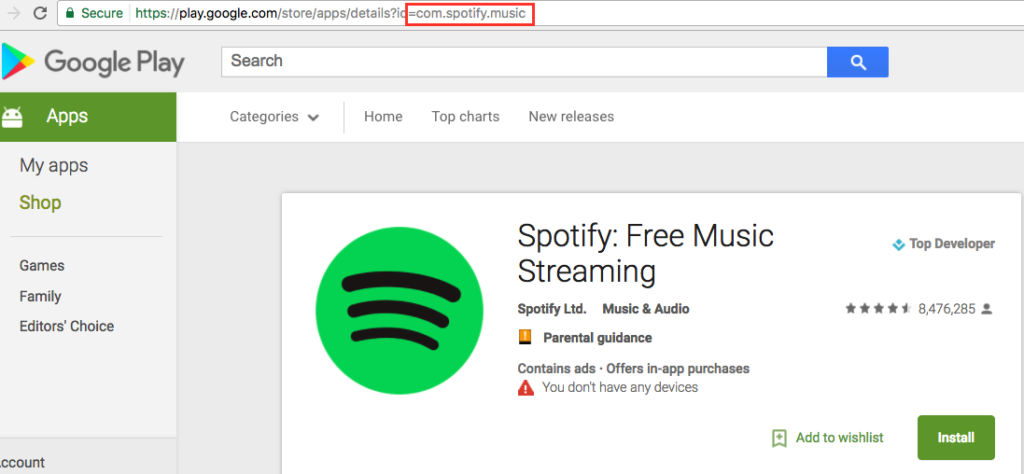
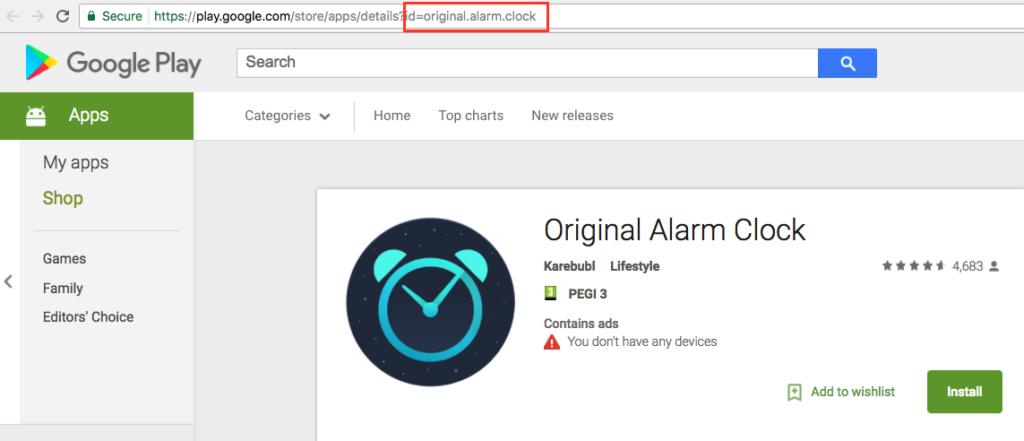
First things first, and the URL is the first thing you should think about, because once set, it can not be modified later. In Google Play Store, same as in the Google web search, keywords included in the domain / URL act as a strong ranking factor for app search.
Read this curious case study on how Nintendo’s Super Mario Run included the keyword “zara” in the package URL. When the installs kicked off, giving the necessary off-metadata boost, the game started to rank for this extremely competitive and highly searched keyword.
Worth including a few keywords in the URL, right?
Developer name
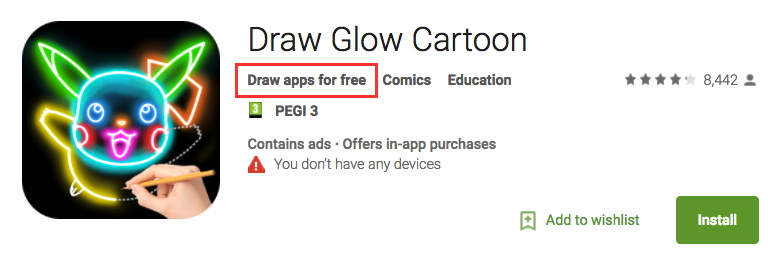
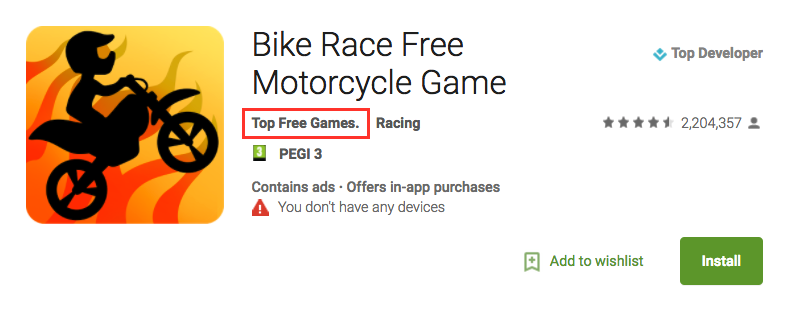
The developer name will as well help your app rank in search results. Besides that, Google favors apps from a developer with a positive history and ranks them higher in searches.
Try adding some keywords in the developer name. For example: “#DeveloperName: keyword + keyword”
Title
The title of an app in Google Play Store is another important ASO on-metadata factor to keep in mind. It affects, above all, the search results, but as well the conversion rate to install.
Google allows developers to include 50 characters in the App Title (NEW: link), so use them wisely. Keep your brand name short, easy to spell and easy to memorize for your users. Include your most relevant keyword(s) alongside your brand name. This can significantly improve your app keywords rankings!
Remember that you can add one title in each language to localize your app. Don’t ignore localizing your app title – the mobile world is global, and the demand for your app can arise from the countries that you have never expected.
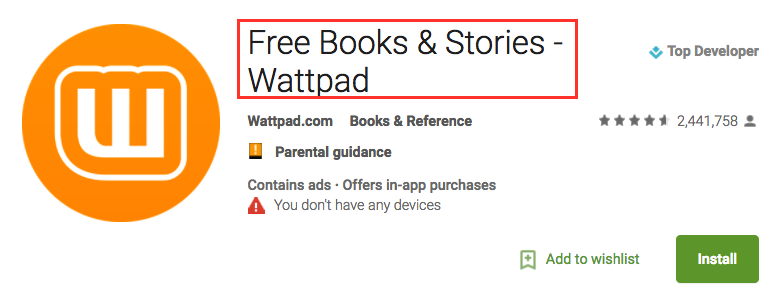
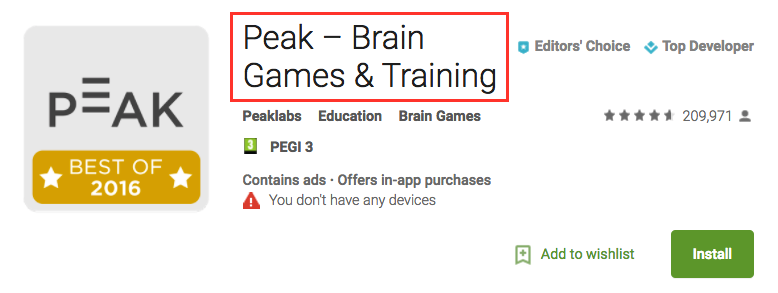
Quick tip: Try adding emoji to your app title to grab attention of the users when they browse or search the Play Store.
The perfect Title should look like…
- Brand – Keyword
- Brand: Keyword
- Keyword – Brand
- Keyword: Brand
Short Description
In Google Play Store, the short description of an app has a strong effect on the ASO in keywords rankings and conversion rate.
Google allows developers to include up to 80 characters for the short description, and if the users are interested to know more, they can expand the short description to view the full description of your mobile app or game.
A well-composed short description is the highlight of all the best things about your app or game, and the best use that a developer can give to this field is to include the core keywords and the main purpose of your app.
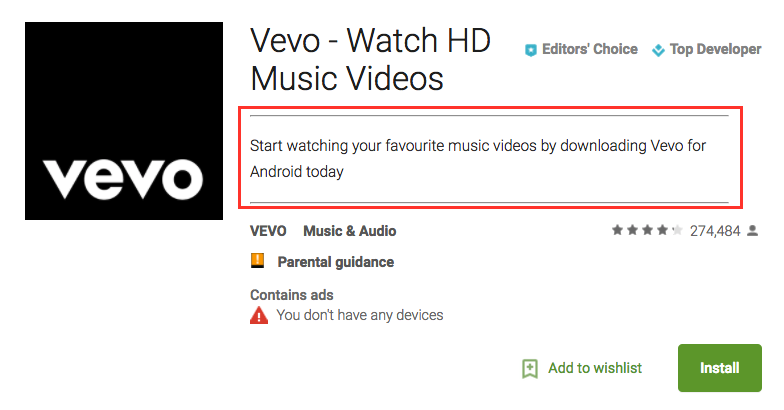
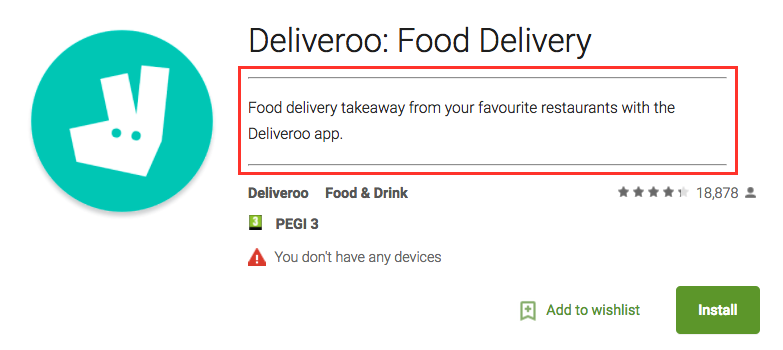
Quick tip: Like it happens with the title, adding emoji in the short description defiitely catches users’ eye!
BONUS: Spy any Google Play Store short description with this tool.
Description
The description in Google Play is specifically important because it is an On-Metadata factor that is responsible for Search and Conversion. In this field you have to include all the keywords of your app or game, combined with a powerful call-to-action.
First of all, the description serves the purpose to improve your app’s position in the Google Play Store search algorithm, so it has to be searchable. And secondly, it helps to convince your potential users to install your app, so it has to be actionable.
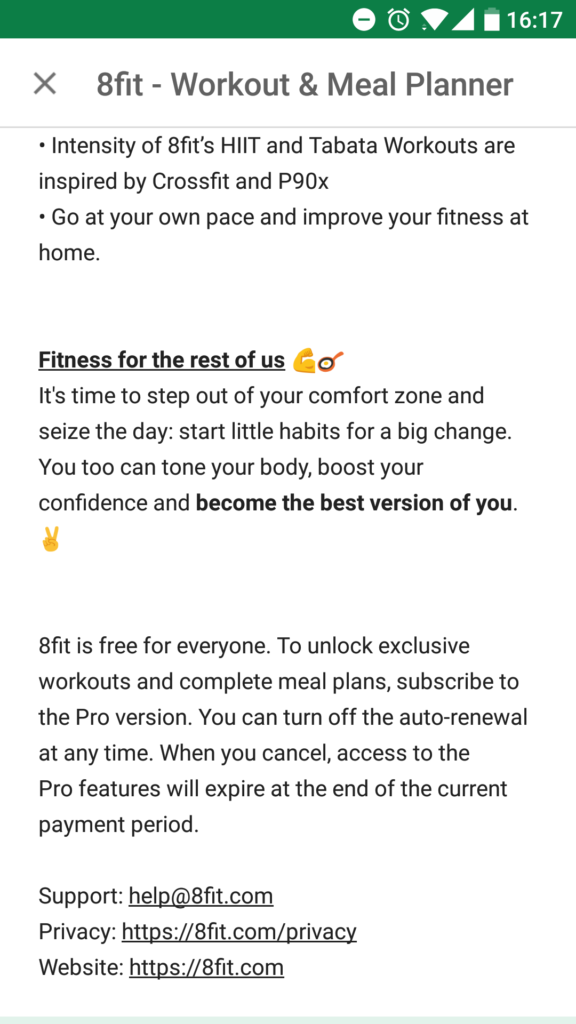
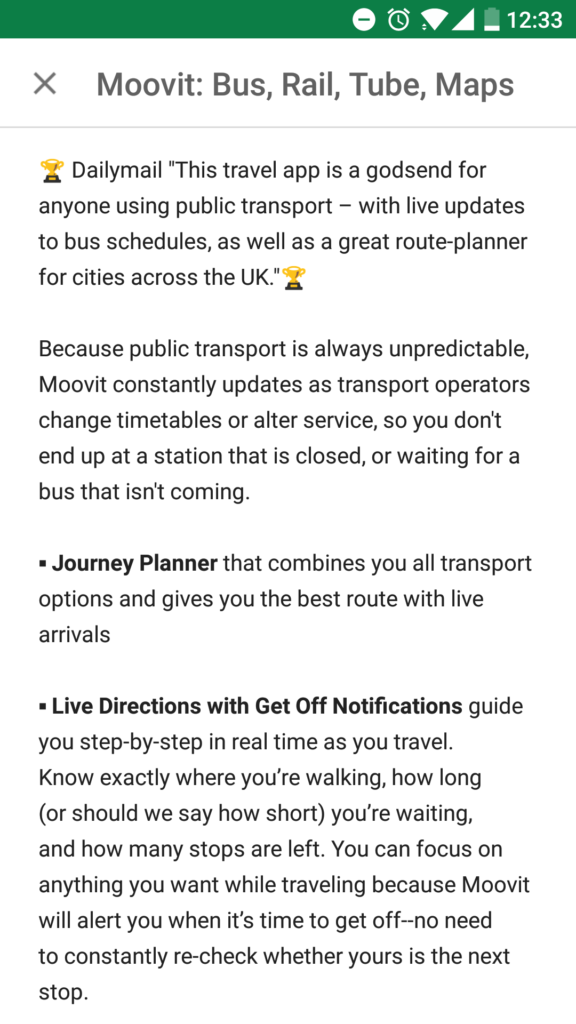
The maximum length for a description in Google Play is 4.000 characters. The best practice is to include your target keywords a few times, and it is important to mention the core ones in the first and in the last lines of the description to improve rankings for those keywords.
Unlike Apple App Store, Google indexes ALL content of your app description and it helps with ASO.
A few tips for a perfect description:
- Use the maximum possible number of characters for description. 3000-3500 char is OK.
- Localize description to ALL possible languages.
- Look for mid and long-tail keywords and add them to your description.
- Use bullet points to organize the information in a clear and visual way for the user.
- Describe the best features of your app.
- Write in short paragraphs without an overload of information.
- Include emoji 😉 ✔ or format text with HTML.
- If your app has won a contest or award, brag about it!
- Include a call-to-action that contains a sense of urgency (e.g. “Download now and start an adventure”)
- Support your description with your social media profiles or links to communities of users of your app.
- And check these requirements from Google what NOT to do 🙂
Icon
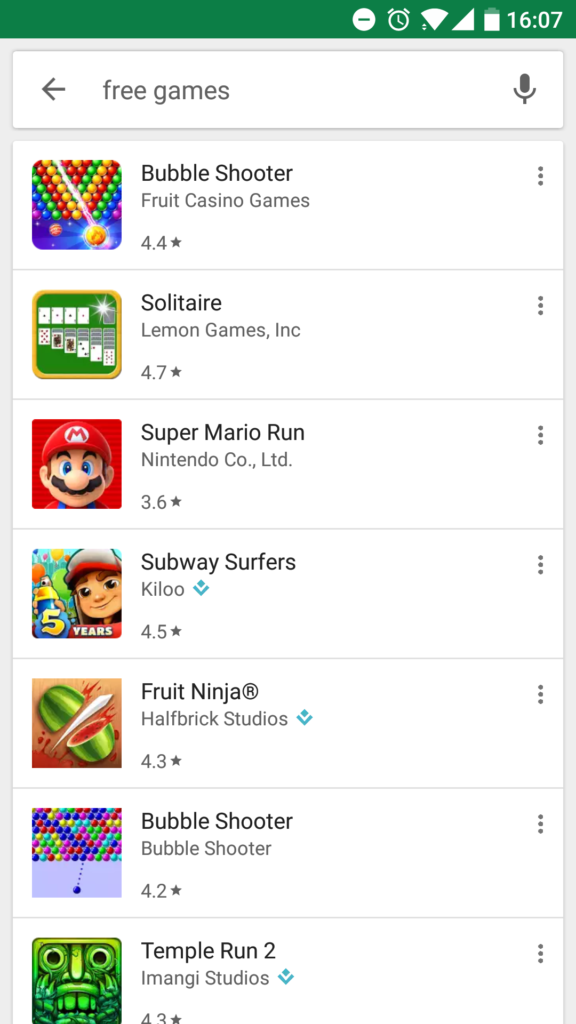
An icon is the first visual impact that your app will have on the user, an essence of your application. Right after making the search request in Google Play, what the users see is a huge list of apps with different names and icons, and at this point the users will decide which app to check out and install.
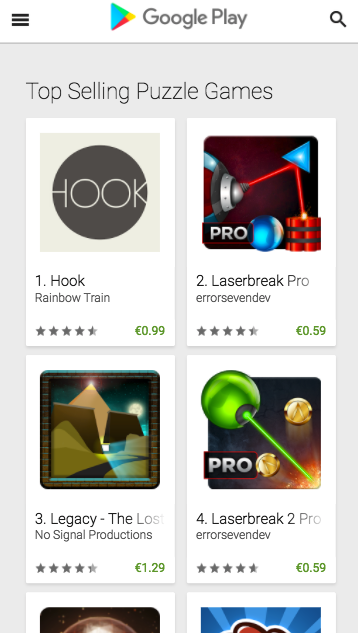
A striking, attractive icon is a key piece of your app’s appearance, and it directly impacts the Conversion Rate. An image is worth a thousand words!
Moreover, the icon (as well as the title and developer name) are the things that users see in the actual search result in Google Play Store, so these elements are ones that have the most impact on the search ASO.
To publish your app page in Google Play Store, you need a high-resolution icon. Google has the following requirements for developers:
- 32-bit PNG (with alpha)
- Dimensions: 512px by 512px
- Maximum file size: 1024KB
Some tips to put a spotlight on your app icon:
- Make your icon coherent with the purpose of your app or game.
- Stick to the overall style of your app.
- Check your competition and be different.
- Use vibrant colors to grab the attention.
- Avoid text in your icon.
- Play with simple forms and harmonizing colours.
- Adding borders to the icon makes it more visible.
- Follow the design tendencies, be modern and innovative – remember how flat design stole the show?
- Test, test, test – A/B test your options with Google Play experiments to find a perfect one!
- Test again 😉
If you are ready to start designing, read this great case study by Incipia on how to pick the best app icon. Or go to Creative Bloq for inspiration on some awesome icon designs! Browsing the Google Play Store can also be helpful to find out new trends for icons.
Feature Graphic
Another key element for Conversion Rate Optimization (CRO) is the Google Play feature graphic that is displayed before your screenshots if you have a video.
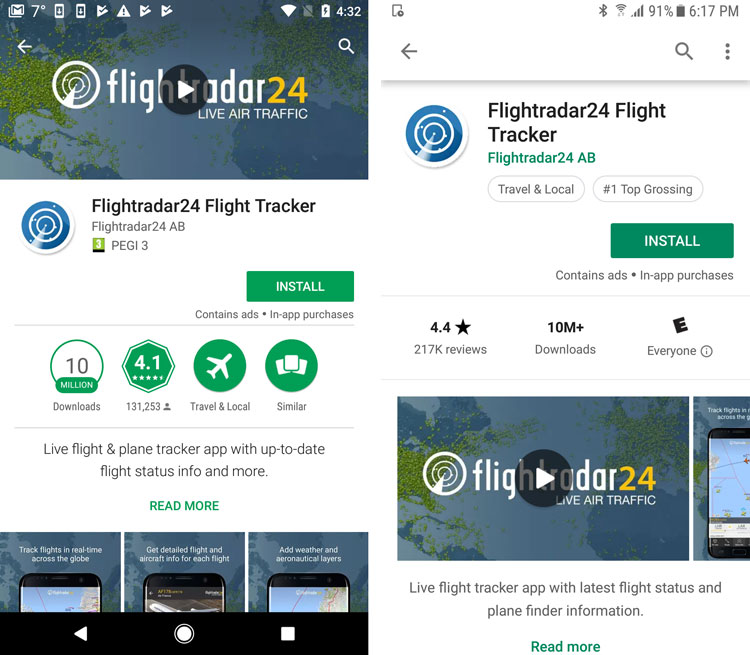
Basic requirements for feature graphic from Google are:
- JPEG or 24-bit PNG (no alpha)
- Dimensions: 1024px by 500px
Follow these simple tips while designing your feature graphic:
- Don’t include any important visual or textual information near the borders and in the bottom third of the graphic.
- Center the information/text/logo horizontally and vertically.
- Use large font sizes for texts.
- Mind that your feature graphic can be used alone without app icon, so stick to your style and make it recognizable.
- A/B test your graphic to see which one has better conversion rate to install (this is your end goal). Use Google Play experiments for this.
- Take a chance to change the theme for a season, important announcement, or an X-mas holiday, for example.
- Remember to localize your feature graphic alongside with name and description, in case it includes text.
Check out this post for more best practices and examples of feature graphics.
Promo video for your Android app
If an image is worth a thousand words, a video is worth a thousand images!
In Google Play Store you can add a YouTube promo video to enhance your app or game identity. It’s important to understand that there are differences between video on the Play Store and video on the iOS App Store. It’s not one size fits all and you want to optimize for each store.
The thumbnail of your promotional video will be your feature graphic and placed before your screenshots (see above).
Simply enter the URL of the video in the “Promo video” field, and remember these Google tips:
- Make sure to use an individual video’s YouTube URL, not a YouTube playlist or channel URL
- Don’t use an age-restricted video as your app’s promo video
You can localize your video, too. To do that, upload your video in different languages, or upload just a transcript, which Google will automatically display depending on the user language settings.
The best thing about it is that the views of the video from Google Play Store count as YouTube views, making your video rank higher in YouTube search and, subsequently, in Google search results.
Check Apptamin’s guide on best practices for promo videos on the Google Play Store and this case study on Vivino (video below) for some more tips. And don’t forget to A/B test your video to optimize the conversion rate of your Google Play Store listing!
Keep in mind that the feature graphic (or feature graphic with the video play button) can also appear when someone searches for your app (with brand searches, featured apps or Play Store ads for example). One more reason to get them right!
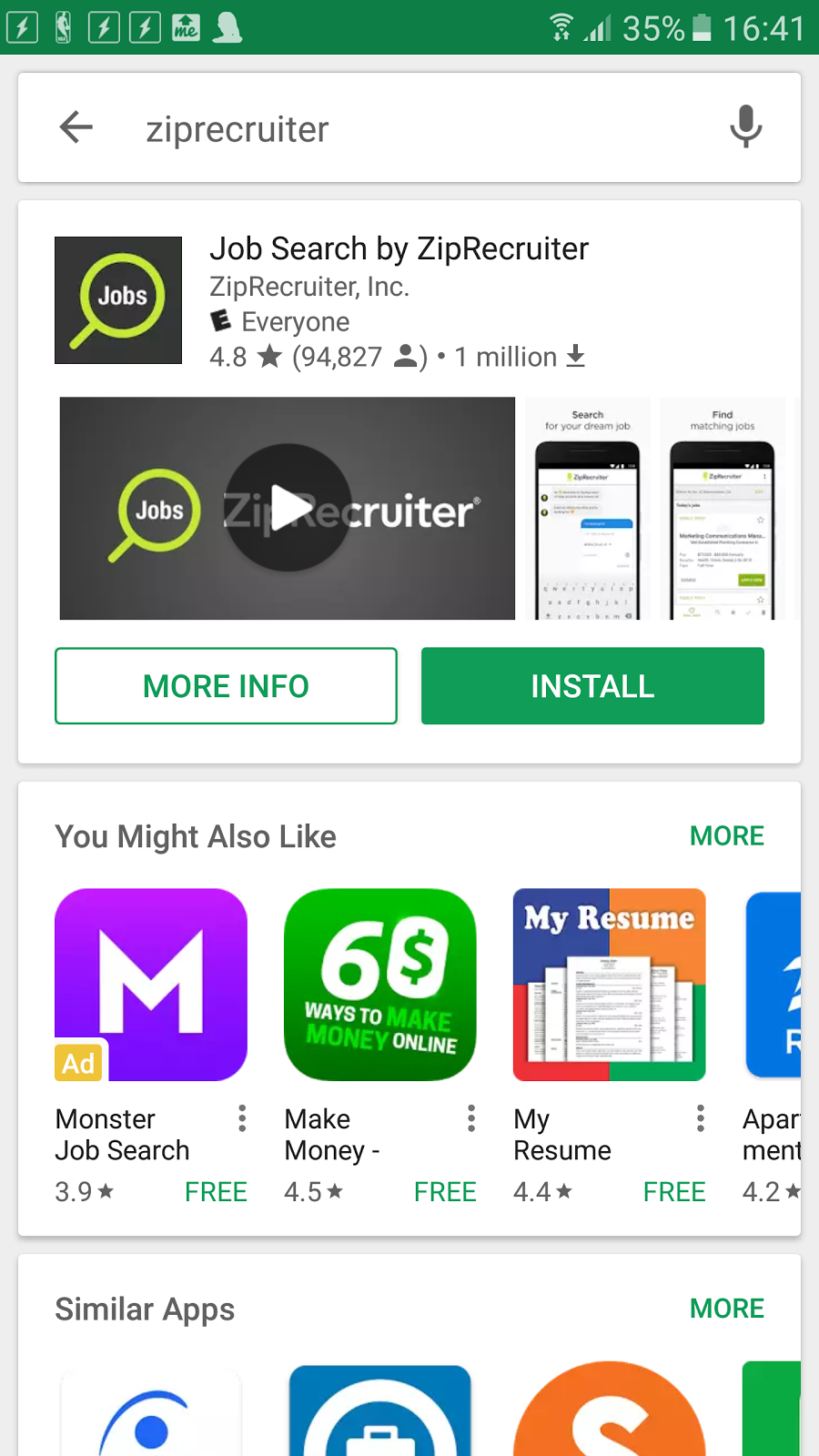
Screenshots
Like the icon and feature graphic, the screenshots don’t affect the search algorithm, but they do have an impact on the conversion rate to install. Screenshots show how your app or game looks like from inside, and highlight its best features. It is then up to the user if he likes what he sees and if he wants it, so it is very important to grab user attention from the first screenshot.
In Google Play Store you can add up to 8 screenshots for each supported device type, while the minimum required by Google is just 2 screenshots with following specs:
- JPEG or 24-bit PNG (no alpha)
- Minimum dimension: 320px
- Maximum dimension: 3840px
- The maximum dimension of your screenshot can’t be more than twice as long as the minimum dimension
Obviously, don’t limit yourself to the minimum of 2 screenshots. Be creative and captivate your users with a showcase of your app’s best features.
The screenshots don’t have to be actual screenshots, you can (and should) go for storytelling and create a sequence of rich images to describe the best features of your app.
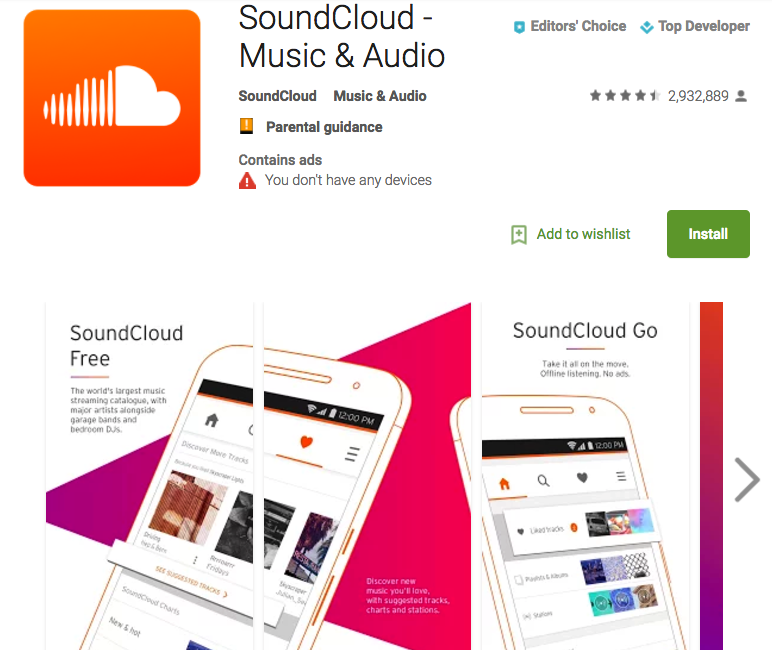
Follow these tips to rock your screenshots:
- Reserve the first screenshot slot for your most important message, or your app’s BEST feature.
- Don’t give bare screenshots, provide explanations to each slide.
- Pick a style or theme for your screenshot sequence and follow it instead of bringing up random images
- Don’t just declare your app features – challenge the user with your copy!
- If you have a limited offer, show it on your screenshots.
- If you have awards or mentions in media, too!
- Test many options to find the best-converting ones.
- Localize screenshots 🌍 if needed
And if you need more inspiration, read this article!
ASO for Google Play: To sum up
App Store Optimization is a never-ending process, so keep on trying new things and optimizing your Google Play Store listing. Keep on monitoring the evolution of your app and your competitors. Test everything and be updated with Google Play Store news and changes to never miss any trend.
Keep on ASO!
About the author
Daniel Peris is CEO of TheTool, a new performance-based ASO tool, and PickASO, the leader app marketing agency in Spain. He writes about mobile growth and ASO strategy.

Follow Apptamin on Twitter
Follow me on Twitter

ASO is a best process for ranking and increase downloading.
Use short description and use specific keyword.
You have 252 character for your description and convince someone you are worth downloading. That’s why you will want to keep it short.
The keywords in the title should be the one with the higher search traffic. Spend time researching which keyword that is, because changing your title can be damaging.
Thank you for the article. I am learning ASO and have actually noted down the process and points to begin.
But one question – Is there anything called “Alt text” optimization for screenshots as in the general SEO?
Very important topic The blog was absolutely fantastic! Lot of great information which can be helpful. Looking forward for more contents like this.
Great Tips for ASO!
Indeed you have explained everything in detail.
Thanks for sharing this one:)
I have used this guide and optimized my app. Now it started ranking. Thanks for the tips!
Quite descriptive. A good place to start off ASO.
Awesome! Very informative and useful information. Many thanks.
Great article and very informative too
Great post
Great article as always. Nice tips
Excellent post. I’m dealing with a few of these issues as well..
It is a very effective and helpful share for beginners. Author keeps all thoughts at this share.
We had applied various valid points in our recently uploaded mobile app. Thanks
I found this blog to be super insightful and helpful. Thanks a lot 🙂
I got this web site from my buddy who shared with me regarding this web page and now this time
I am visiting this website and reading very
informative content here.
SEO is a rapid paced and vigorous field. It can as well sometimes be annoying, particularly if you’re depending on obsolete strategies that are no longer of any use. That’s why it’s critical for you to stay knowledgeable and learn uninterruptedly.
Surely a great read. I enjoyed reading this article. Much thanks for sharing the same with your readers. Keep spreading goodness with your articles 🙂
Hi, Your help needed.After seeing your post.I liked change developer name like what you have mention draw free game or top free games ,i changed to Android Free Apps zone.Then My Account terminated ,they are saying deceptive behaviour.Is that keyword why wrong.Can you help me please……..
Hi John – You should not change the name to something that is not completely in line with your app. It is best to choose the right name from the start rather than change it as well.
Great list! Thanx for your efforts and writing you have done to compose the list for play store optimization. Keep up the good work.
Thanks for sharing the nice article. It’ll really help a lot for App Store Optimization.
This article game me good insights about ASO. Today i’m going to release my first app on play store! 🙂
Excellent post. Thanks for sharing this valuable article regarding app store optimization. This article is a brilliant guide to the beginners. Thanks for this great share.
Amazing ! Will start applying in my upcoming apps in Google Play Store. Thanks
Awesome post!
What are the chances if I implement all above mention tips will my app comes in the top search for relevance keywords.
As B2B app promoting is much harder as compare to B2C, so what are the best practice to target B2B APP.
thank you for this great article
i have problem with my app for example name of my app “sponge bo” and when i search for “sponge bob” there is no result … why my new app doesn’t show in the search of “sponge bob” it different of one character.. or it question of time to show … thank you very much … i hope i receive your reply soon
i have luanched an app ‘vmswipe’. it is a sidebar app. it is discoverable using keyword ‘vmswipe’. But is is not discoverable using keyword sidebar. i have also mentioned sidebar in description many time. please help me , how can i make it discoverable using keyword sidebar.
thanks!!
To improve your search ranking, you must understand and know which keyword are relevant and most used by your target audience. The most important ASO factor, the title and keywords can be modified easily. You will want to optimize them regularly.
Awesome share Thanks for this useful article.
This post given me a lot of knowledge , thanks for sharing this stuff 🙂
my game just published in Google play store.
where to find my Feature graphic?how to find it?in Google display network
Thank you
Hi – the feature graphic is at the top of your app store page when you’re on a mobile. To change it you need to go to your Google Play Developer Console.
Hello Sylvain, your blog is going to help a lot of people, I believe. An app makes no sense if it is not discovered by people. Hence, app store optimization is of immense significance. A detail insight into Google Play store app page details will help you optimize better to make your app discovered.
this will really help us optimise our app on playstore.
Thanks for the sharing….Google is now checking apps before publication, but the process is much faster than the Apple App Store. It is usually on the order of a few hours, while Apple can take a few days. This allows you to optimize your app faster.
You’re correct. The post needs some updating.
Hi does the content from a user review in play store matter? For example if many users gave a 5 star rating and leave an identical review “this app is useful to find a good workshop for my car. #carworkshop #goodmechanic”.
Will the content and hashtag in the review help to increase ranking in play store for a car workshop app?
Thanks for the article very informative
Hi Amnan – My gut reaction would be to say that yes, the content of the reviews is somewhat used in the search algorithm. It would make sense, giving how google is advanced in terms of search. But I do not have any source or data to confirm this at the moment. However I would advise against faking reviews or even worse faking reviews and stuffing them with keywords or hashtags.
thank you for this great article
i have problem with my app for example name of my app “sponge bo” and when i search for “sponge bob” there is no result … why my new app doesn’t show in the search of “sponge bob” it different of one character.. or it question of time to show … thank you very much … i hope i receive your reply soon
Hi Danny – it can take some time and if keywords are hard to rank for it may not happen. However if you want to rank for “sponge bob” you need to have the actual keywords “sponge” and “bob” in your description. “bo” is different than “bob”. If your app is not related to sponge bob, I would advise against.
IMHO the google’s algorithm is far more complex.
For example for my app https://play.google.com/store/apps/details?id=it.iseocom.tegame the keyword “TAP” isn’t ranked at all as a keyword.
The word “election” is ranked in the first 50 instead.
Maybe the overall downloads could affect the result, the description contains many times the keyword “tap”, but neither seems be so effective.
It is very possible that Google’s algorithm be more complex. They have quite the history in search, much more than Google.
I have found out that the icons you use have a very huge impact in attracting people to download your app.
Hi, I have released an app in Google playstore. Name is “DaddysRoad”. When I search with daddysroad its coming in result. But if I search daddys road(with space in between the words) its no where found in the result. In the heading it given as “DaddysRoad” (without space). Also in the description I have used DaddysRoad( without space). So could you help me what should I do to get my app in search result for the keyword Daddys Road(space in between). I would really appreciate your guide. Thanks
Hi George – you should add daddys (and daddy?) and road as keywords
Thanks for your response. Let me try adding your suggestions.
Really appreciate your effort.
@ Sylvain Gauchet, Thanks for your expedite response to my message. Really appreciate it. could you clarify me for this below queries as well…
When you said, i need to add keywords as Daddys, Road etc. i need to add this in the website (htttps://daddysroad.com), is it? there is no provision to add the keywords for app in the Google play store is it?
2. my apps and websites /<meta name="Description"/short description, should be same for maximum result? if i add extra words only for app tittle / description, will it effect my search rank in negative way?
I meant adding the keywords in the Google Play Store title and description.
Meta description seems to now have almost no impact on search rankings. However it is with this short text that potential visitors can decide if they want to visit your website so make it user friendly.
Thanks for this! I still have no idea why my app is not getting installs nor appearing in search results although I applied every tip I could hear of, although it’s a social app. Any advice?
shreyagoyal786 You can take a look at the advices we gave in this post: https://www.apptamin.com/blog/app-store-optimization-aso-app-name-and-keywords/
Sean Mann Hi Sean. Sorry for the late answer. I have no data to back that up, but it seems like a good idea to have moved the name of your app to the top. That way a Google search show the sentence you decided to display.
I don’t know if you’ve updated the Play Store description since, but it seems you have enough occurrences of “Word game”
March 28 2014 Changes There was indeed some changes in the policy to avoid spammy and sexually explicit apps: http://phandroid.com/2014/03/28/google-play-store-developer-policies-update/
Thanks for these tips
I’m about to release a poker (Texas Holdem) hand tracking app called “OverQuad”. I understand that the Title is critical, but what about the actual App Name??? If I expect a lot of people to be searching for “Hand Tracker” or “Hand Logger” would it be best to use that as the actual app name?
And how do you get an App name? Is it a first-come first-served basis? Thanks!
CSerpent I don’t think that the app name will be that important IF you also have the keywords in your app title.
Not a first-come first-served basis thing I think. Lots of pretty similar app names out there.
Hi, Thanks for your great article. I learned some new things. I have this wonderful app that was downloaded more than 4k a day. Suddenly the daily downloads dropped to 2k. No changes were made in the app. What can be the reasons for it?
Thanks, 🙂
guest500 Have any negative reviews appeared? More uninstalls than usual? Less traffic to your website (if you have one)? New competitors?
guest500
Let me guess:
The drop happened about a month after the initial release?
guest500
plammanev guest500 Nope, but the boost of downloads was for a month, from one day to the other it went rocket high, then a month after dropped down to the number of daily downloads as it was before. Any idea why?
About this point:
Update 2/9/12:https://www.apptamin.com/blog/google-play-store-marketing/
Do you know if they count only original link to store, or they can recognize Flurry tracking links or goo.gl shorten links? Thank you 🙂
dilyanayaneva00 That’s a good question. And unfortunately, I don’t know the answer. I ‘d assume they support their own shorten links and are able to recognize that it leads to their store. But can’t know for sure.
apptamin dilyanayaneva00Yes, Google counts it, as with any other 300 redirect. http://blog.ineedhits.com/videos/video-google-clarifies-url-shortenings-impact-on-pagerank-14369364.html
@Chris apptamin dilyanayaneva00 Thanks Chris!
A nice article. We will definitely create a YouTube video. Simon
Do you have any advice for choosing keywords?
We are either a Driving Calculator or a Car Calculator. It’s hard to differentiate the results in the Play Store.www.drivelineapp.com
@ben_in_berlin Hi Ben,
You can try and repeat both of these keywords in your description, but you probably have to make a choice for the name of your app.
Have you tried to find what people look for the most on the web (with Google Keyword Tools for example). This might help you make the right choice. You could also try and ask your users how they would define your app (for the “quality” aspect rather than the “quantity” one)
@apptamin @ben_in_berlin ‘Driving Calculator’ gives a lot fewer results, but they’re much more relevant so I think we’ll proceed with that one. I’ll update the app’s title to include it.Please take a look at the app if you have time. Your feedback, above others, would be greatly appreciated.
Yes i think choose that keywords which users mostly use in search bar engine.